

An SEO-friendly website is a site designed and developed to be easily understood and ranked by search engines like Google.
So, is this the kind of website your business needs?
If your answer is yes, continue reading.
I’m Nikola, an expert with over a decade of experience in the SEO industry. I’ve seen countless businesses struggle to get noticed online because their sites weren’t built with search engines in mind.
Let me make one thing clear:
A well-optimized website is your digital storefront, and if search engines can’t find it, your potential customers won’t either.
In this guide, I walk you through what I know about creating an SEO compatible website in ten simple steps.
Now, let’s make your site easier to find.
Highlights
- A search engine-friendly website is crucial for online visibility and organic growth.
- A clear site structure with easy navigation helps users and search engines.
- Responsive design ensures your website works on all devices.
- Fast loading with optimized images and code improves experience and rankings.
- HTTPS secures your site and builds visitor trust.
What Is an SEO-Friendly Website?
An SEO-friendly site is structured in a way that allows search engine crawlers to easily navigate, understand, and index its content. This, in turn, helps your website rank higher in search results for relevant queries.
Think of it as a well-organized library where the librarian (Google) can quickly find the books (your web pages) that people are looking for.
But what does SEO-friendly mean in practice?
It means your website is built around these 3 pillars:
- clean code
- logical structure
- great user experience
In simple terms, it’s about creating a site that is both user-centric and technically sound.
Why Does SEO-Friendliness Matter for a Website?
With billions of searches happening on Google every day, your target audience is actively looking for the products or services you offer.
So, if your website isn’t optimized for search, you’re missing out on a massive amount of potential traffic, leads, and sales. An SEO ready website is your ticket to getting in front of these potential customers.
How to Make Your Website SEO-Friendly: A Step-by-Step Guide
I strongly recommend laying SEO groundwork at the very beginning. Getting the structure, navigation, and basics right early on prevents frustrating backtracking and ranking losses later.
The following best practices for SEO website design will help you avoid costly mistakes:
1. Build a Clear Website Structure and Navigation
A well-structured website is like a roadmap for both users and search engines. It should have a clear and logical hierarchy, with your most important pages being easily accessible from the homepage.
A good rule of thumb is the three-click rule: users should be able to find any information on your site within three clicks.

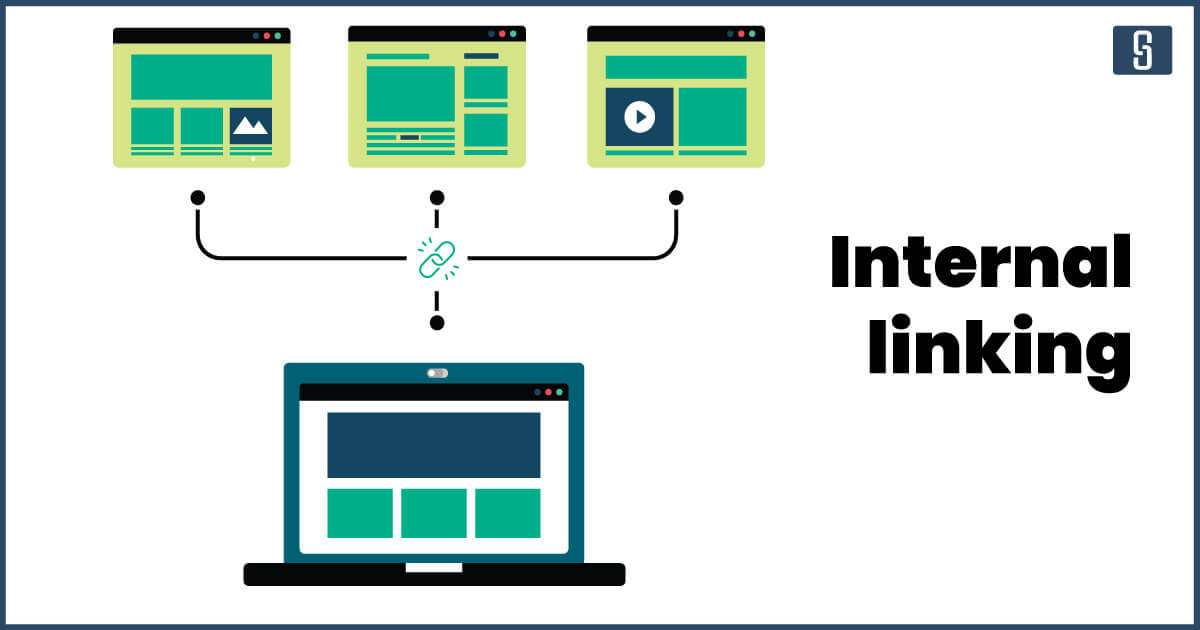
Internal linking is also a crucial part of your website’s structure. By linking to other relevant pages on your site, you help search engines understand the relationships between your content and distribute link equity throughout your site. This can significantly improve your SEO performance.
2. Ensure Mobile-Friendliness and Responsive Design
We live in a mobile-first world. More people are now browsing the internet on their mobile devices than on desktops. That’s why Google uses mobile-first indexing, meaning it primarily uses the mobile version of your content for indexing and ranking.
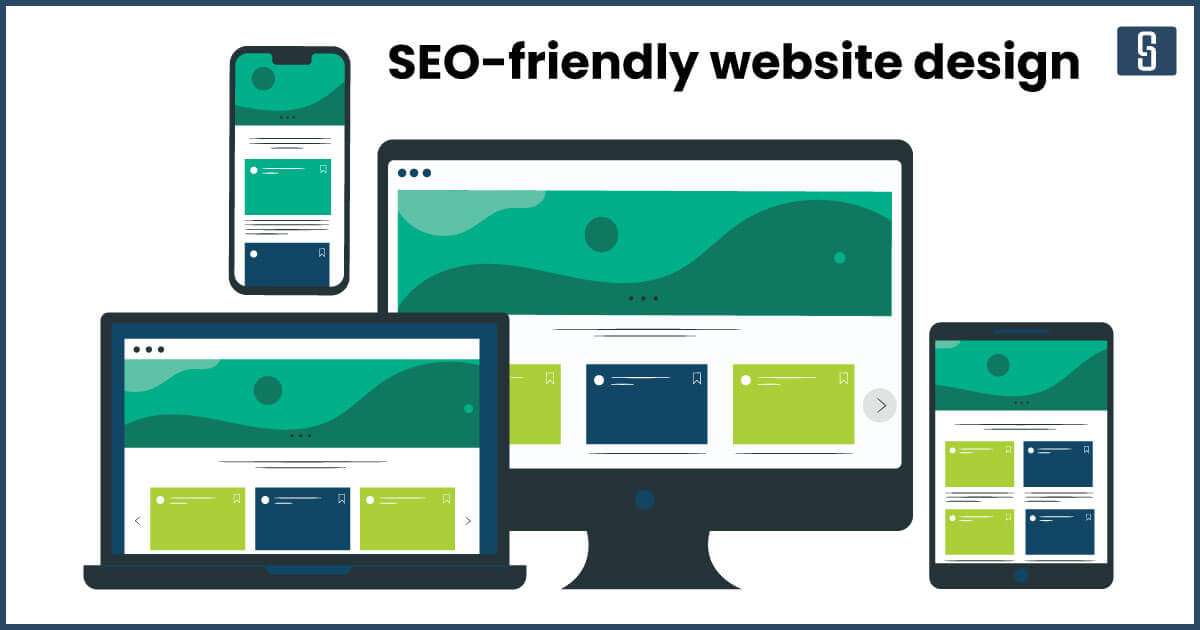
An SEO-friendly website design is one that’s responsive. This means your website automatically adjusts its layout to fit the screen of any device, whether it’s a desktop, tablet, or smartphone. A mobile-friendly website provides a better user experience, which is a key ranking factor.
3. Monitor Page Speed and Core Web Vitals
Have you ever clicked on a website and then immediately left because it was taking too long to load?
Page speed is a critical factor for both user experience and SEO. A slow-loading website can lead to a high bounce rate, which tells Google that your site isn’t providing a good experience. You can check the speed of your website through PageSpeed Insights.
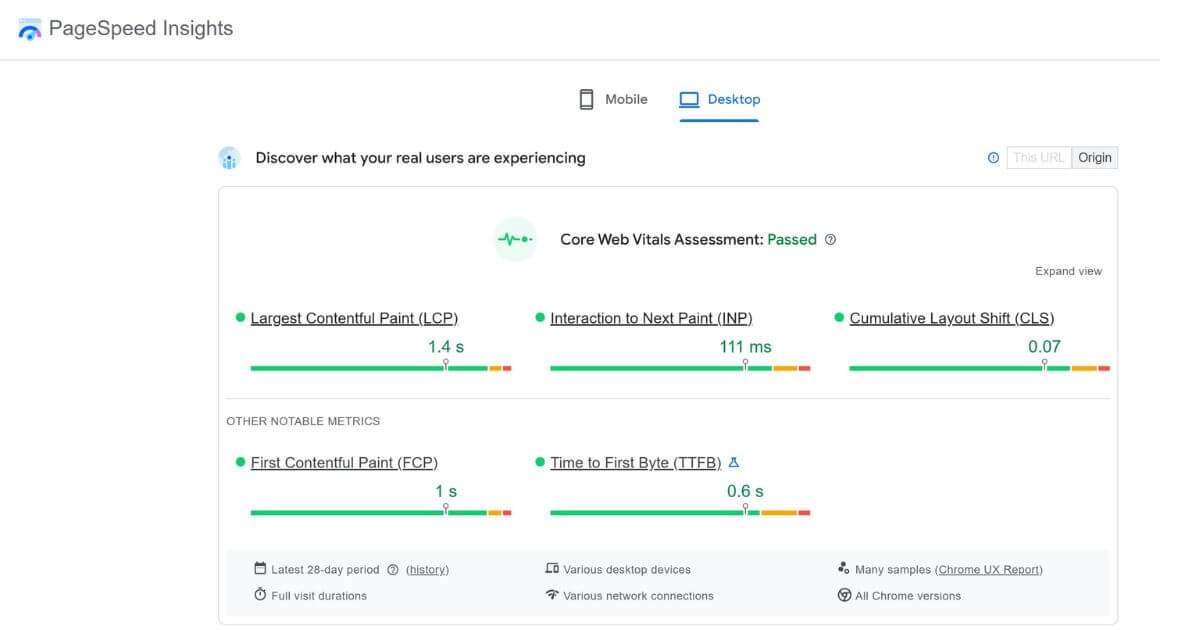
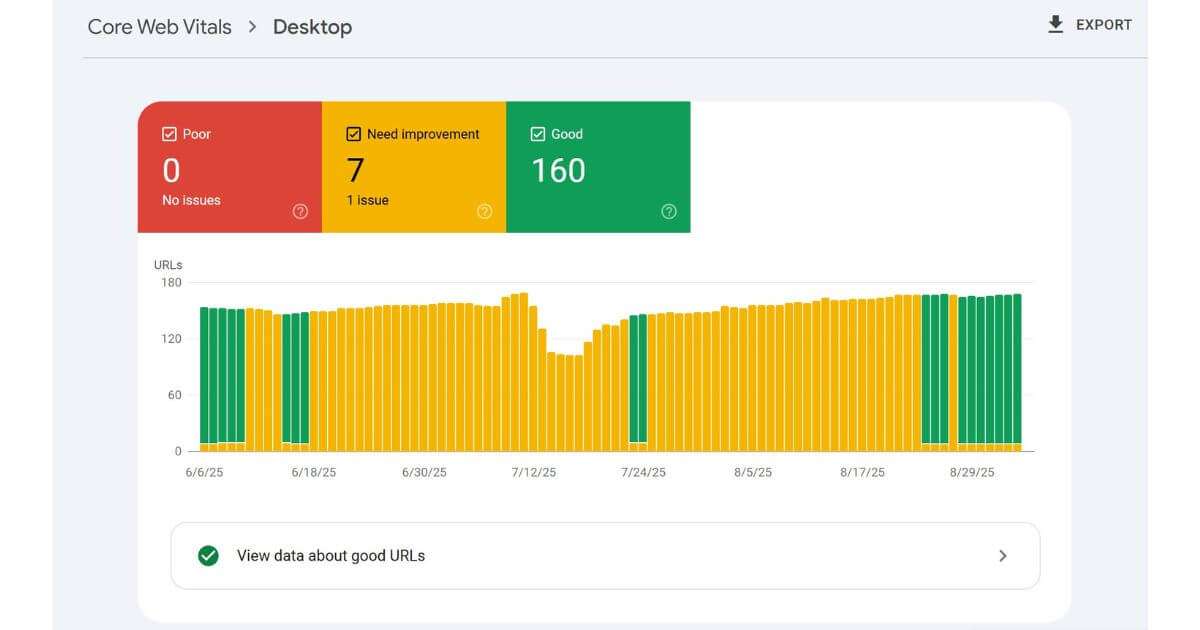
Google’s Core Web Vitals are a set of metrics that measure the real-world user experience for loading performance, interactivity, and visual stability of a page. You can check your website’s Core Web Vitals in your Google Search Console account. Here’s an example of how they look for desktop:
4. Implement HTTPS for Website Security
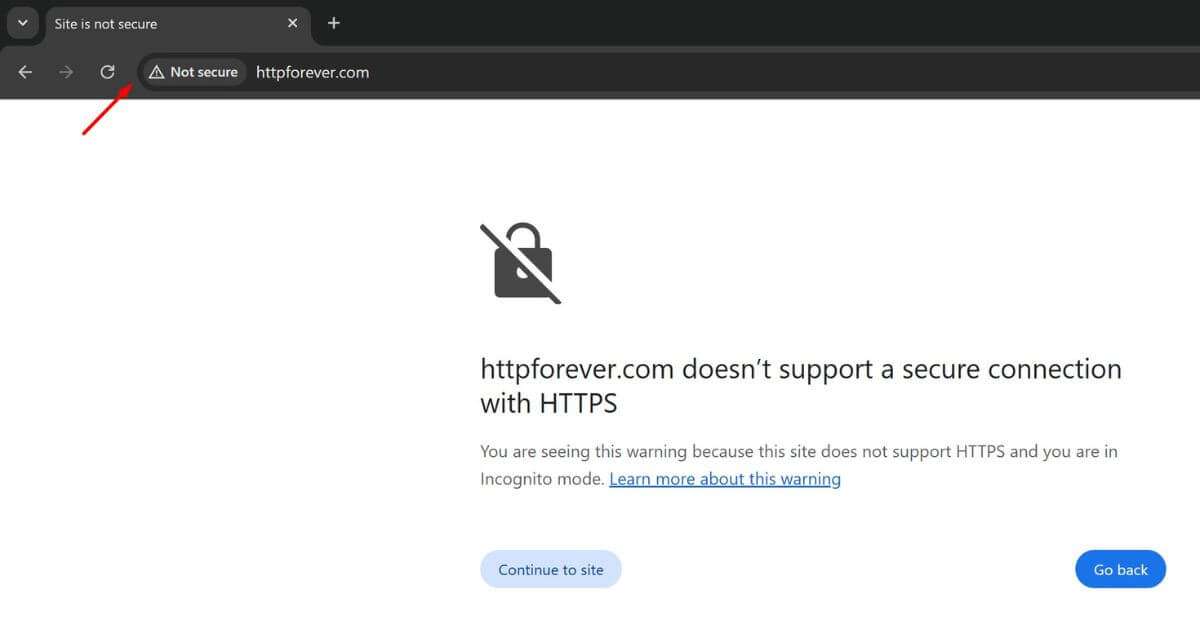
Security is a top priority for Google. The hypertext transfer protocol secure (HTTPS) is a signal that your website is secure and that any data transferred between the user and the website is encrypted.
If your website’s URL starts with HTTP instead of HTTPS, it will be flagged as not secure by browsers, which can deter visitors.
5. Set Up XML Sitemaps and Robots.txt Correctly
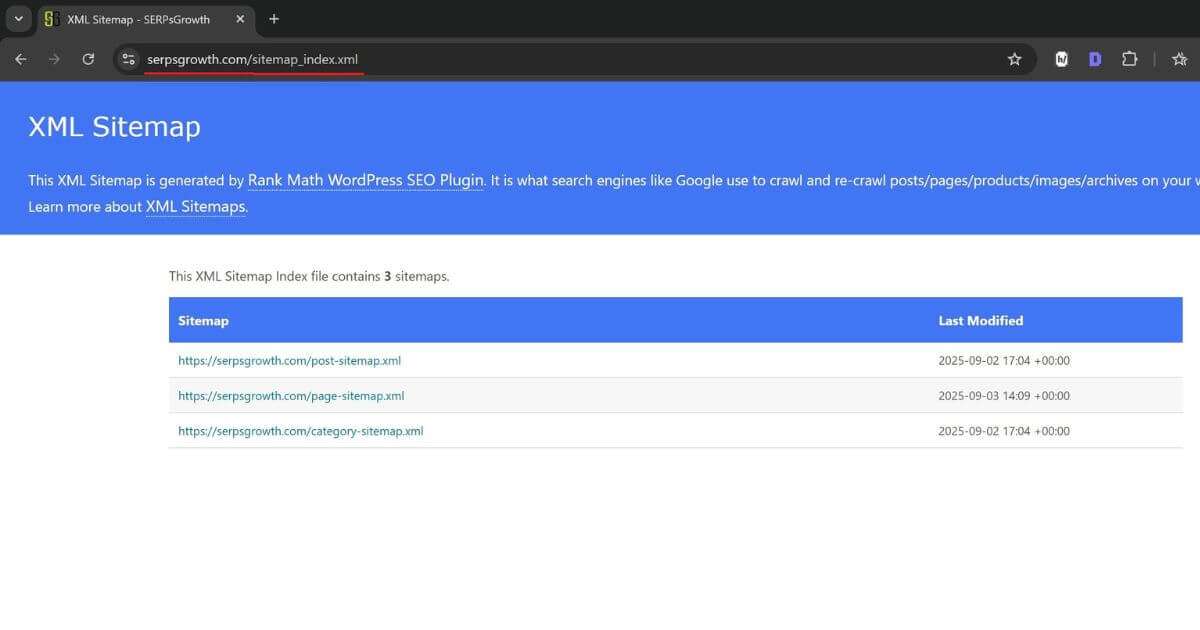
An XML sitemap is a file that lists all the important pages on your website, making it easier for search engines to find and crawl them. It’s like a table of contents for your website.
This one is generated through the Rank Math plugin:
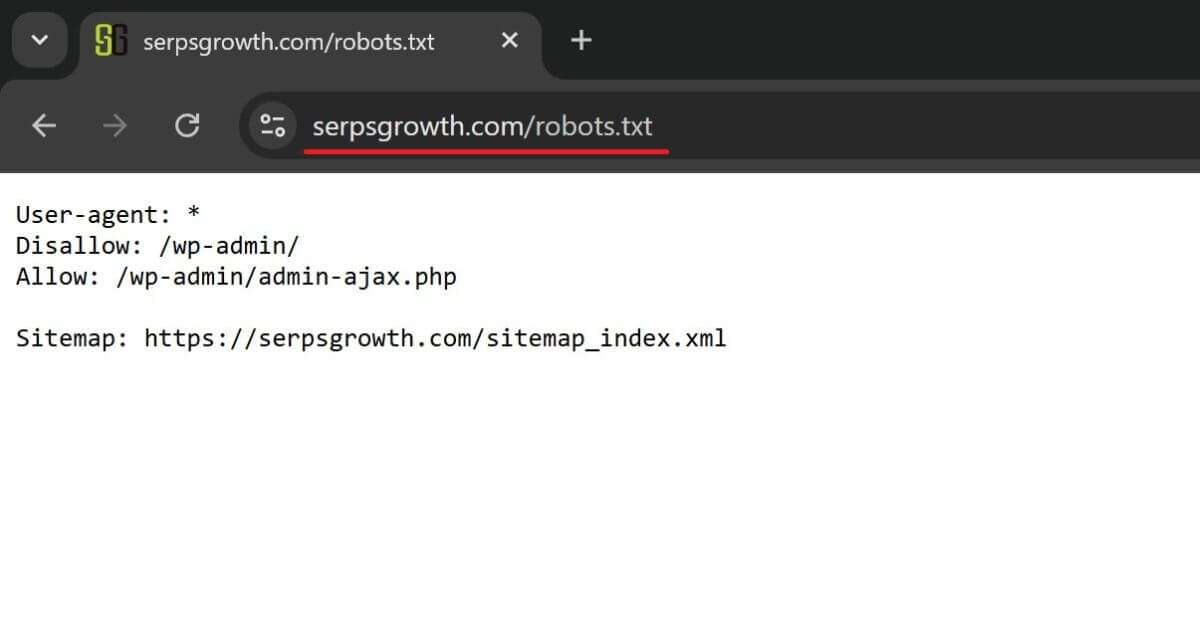
A robots.txt file, on the other hand, tells search engines which pages or files on your site they should not crawl. This is useful for preventing search engines from indexing pages that you don’t want to appear in search results.
You can usually access it through yourwebsite.com/robots.txt:
⚠️ Important: Google can still discover URLs listed in your robots.txt file if other websites link to them. To completely prevent a page from being indexed, don’t block it in robots.txt and use a “noindex” meta robots tag instead.
6. Create a Clean and SEO-Friendly URL Structure
The URL structure of your website should be simple, logical, and easy to understand for search engines.
A good URL should include your target keyword.
For example, ✅ yourwebsite.com/blog/seo-friendly-website is much better than
❌ yourwebsite.com/blog/post-123.
7. Write Title Tags and Meta Descriptions With Keywords
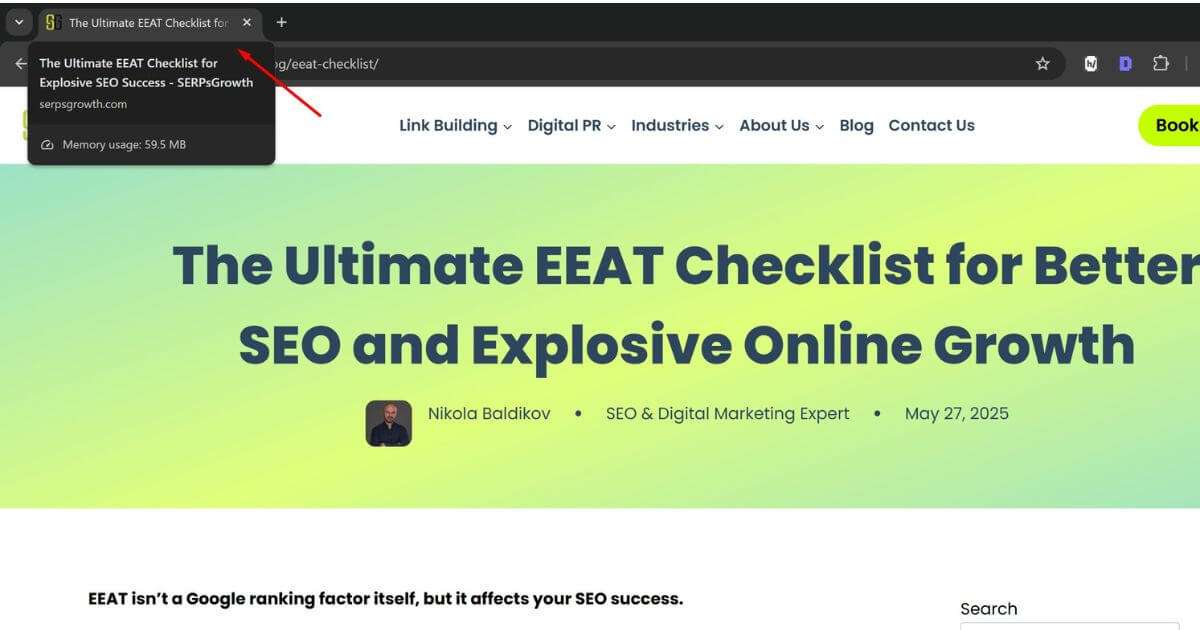
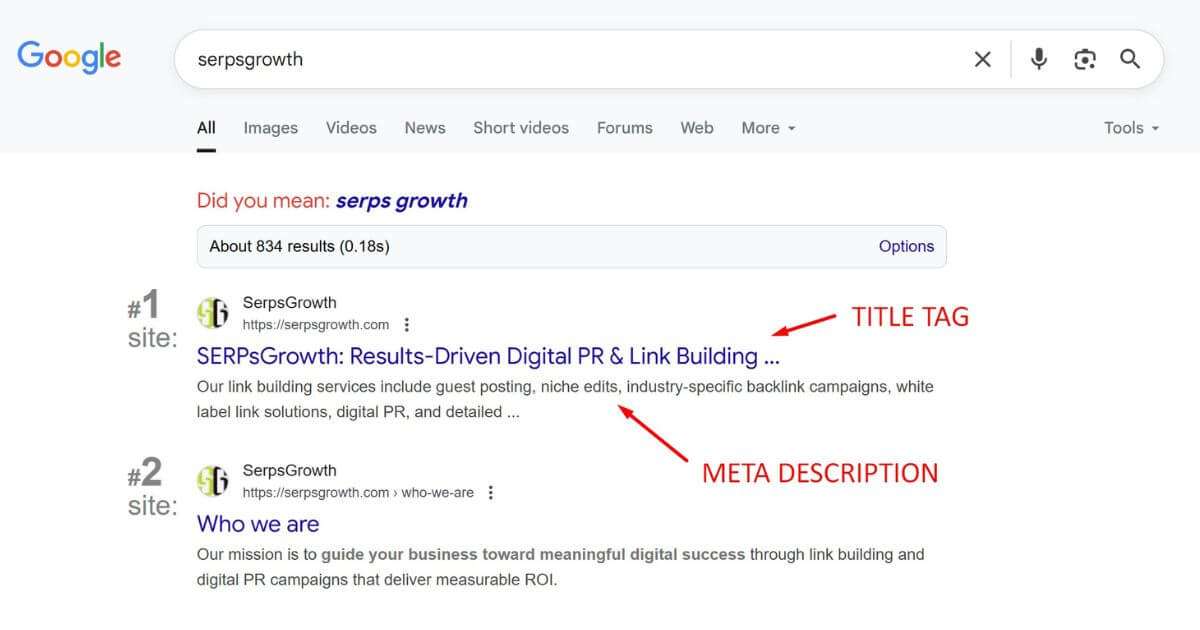
The title tag is the title of your web page that appears in the browser tab and in search results. It’s a crucial on-page SEO factor, so make sure it’s descriptive and includes your main keyword. It should be up to 60 characters long.
The meta description is the short snippet of text that appears under your title in search results. While it’s not a direct ranking factor, a compelling meta description can entice users to click on your link. It should be up to 160 characters long.
8. Use Header Tags (H1, H2, H3)
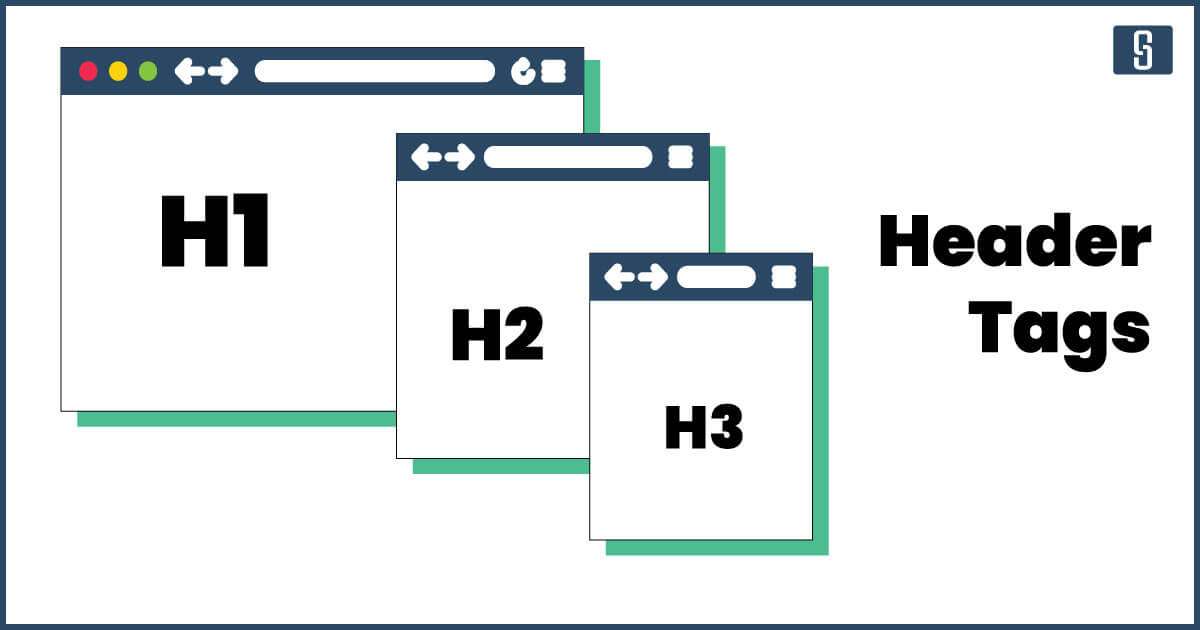
Header tags (H1, H2, H3, etc.) are used to structure your content and make it easier to read.
Your H1 tag should be your main heading and must include your target keyword.
Use H2 and H3 tags to break up your content into smaller, more digestible sections.
9. Optimize Images and Alt Text
Images can make your content more engaging, but they can also slow down your website if they’re not optimized. Make sure to compress your images before uploading them to your site.
Some good and easy-to-use image compression tools I recommend are TinyPNG and Compressor.io.
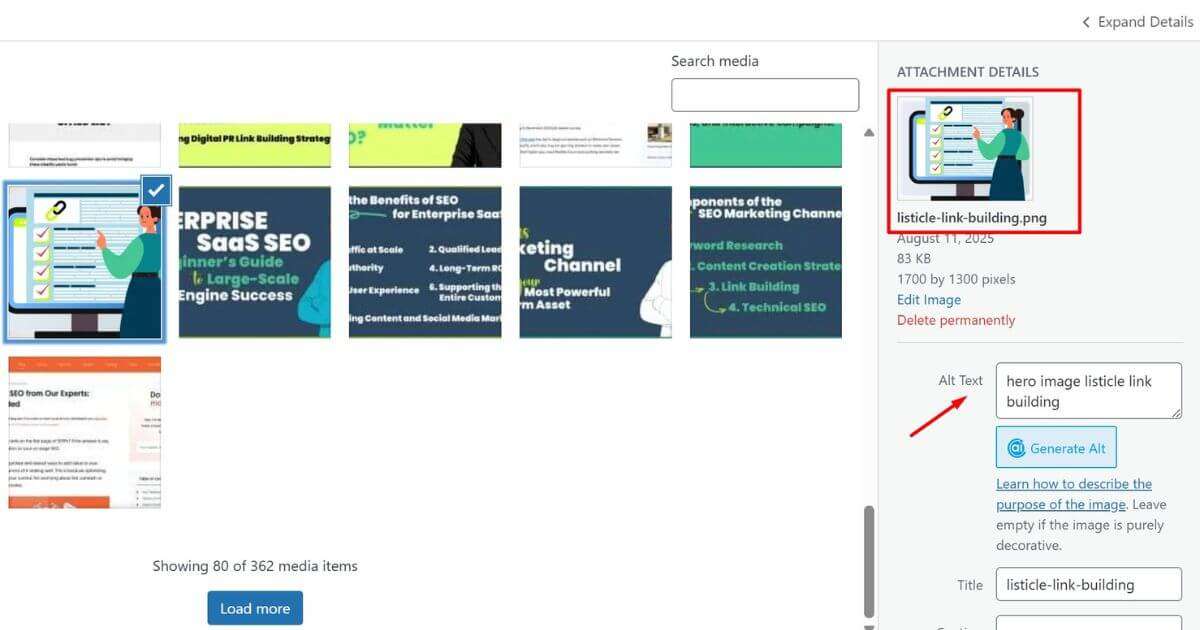
Alt text (alternative text) is a short description of an image that is displayed if the image fails to load. It’s also used by screen readers for visually impaired users and by search engines to understand the content of the image.
In WordPress, this option looks like this:
10. Implement Schema Markup
Schema markup is a type of code that you can add to your website to help search engines better understand your content. It can help your website stand out in search results with rich snippets, such as star ratings, reviews, and event information. It can also increase your chances of getting a featured snippet.
Here are two helpful checkers:
How to Check If Your Website Is SEO-Friendly
Now that you know what makes a website SEO-friendly, you might be wondering if your site fits the criteria.
The good news is that there are many tools that help perform an SEO-friendly website check.
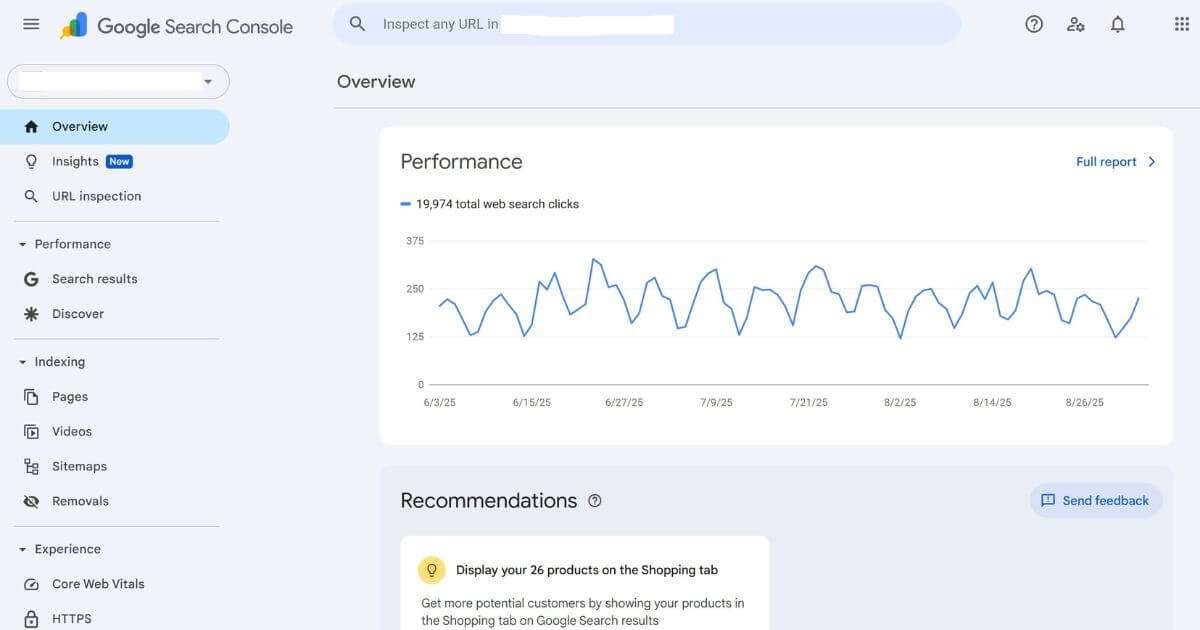
One of the best places to start is Google Search Console. This free tool from Google provides information about your website’s performance in search, including any errors that might be hurting your rankings.
You can also use Bing Webmaster Tools for insights into your performance on the Bing search engine.
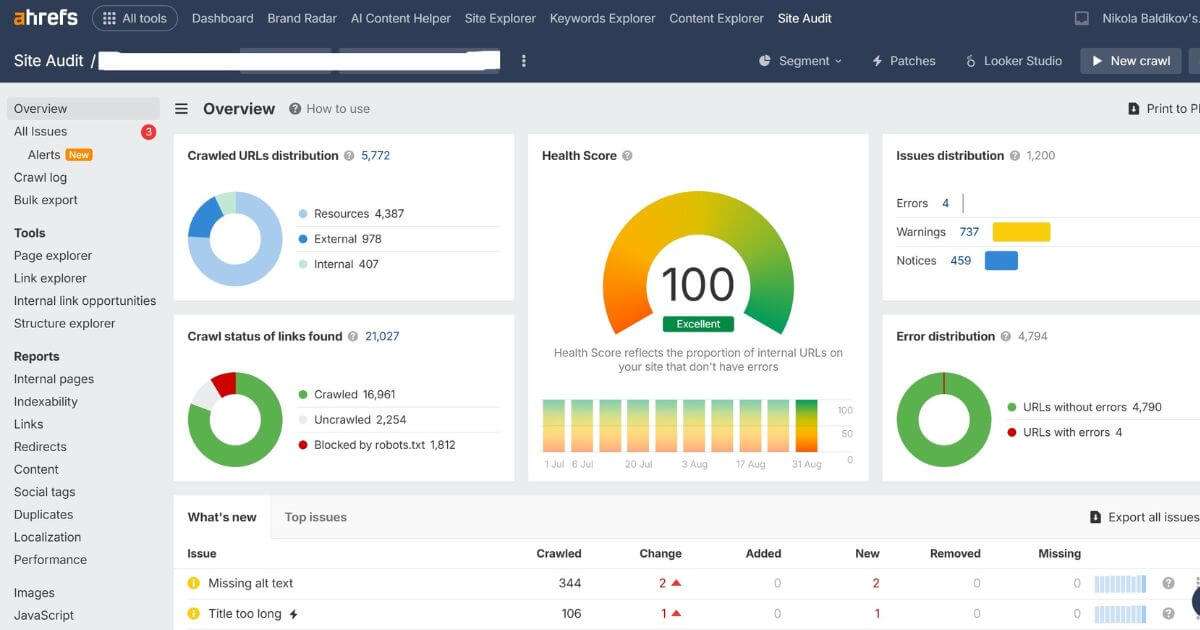
For a more in-depth analysis, you can use tools like Ahrefs’ Site Audit tool to check website health and identify any technical SEO issues.
Wrap Up
Creating an SEO-friendly website is not a one-time task; it’s an ongoing process.
Search engine algorithms are constantly changing, and you need to stay up-to-date with the latest best practices to maintain your rankings and stand the test of time.
I hope my SEO tips have helped you with your website.
FAQ
How do I structure my site so search engines can index it easily?
Organize your website with a logical hierarchy that starts with broad categories and breaks them into specific subpages. Use a clear navigation menu and ensure every important page sits within three clicks of your homepage. Connect related content through internal links and create an XML sitemap so search engines can find and index all your pages. Avoid orphan pages and use descriptive, keyword-rich URLs.
What technical fixes improve Core Web Vitals and loading speed the most?
Compress your images without sacrificing quality and switch to modern formats like WebP when possible. Minify your JavaScript and CSS files, then defer their loading to prevent them from blocking your page render. Set up browser caching to reduce repeat load times.
Also, for images and videos, set up lazy loading so they load when users actually scroll to them, not all at once.
Which CMS or platform is most SEO-friendly?
WordPress stands out as the most SEO-friendly CMS due to its flexibility, frequent updates, and a vast selection of SEO plugins like Yoast and Rank Math.
For ecommerce, Shopify is also highly regarded for its built-in SEO features and user-friendly interface.
What’s the best web builder for small businesses that offers strong SEO options?
Wix and Squarespace are both a good start for small businesses thanks to their easy setup, built-in SEO tools, and responsive templates. Wix provides granular SEO settings and beginner-friendly guides, while Squarespace allows for customizable meta tags and clean site architecture. WordPress with its drag-and-drop builder is also a good choice for maximum SEO control.
Is it possible to optimize a website for AI agents?
Yes. Use structured data and schema markup to help AI agents and search engines understand your content’s context and meaning. Create clear, well-organized, and factual content that answers specific questions. Maintain proper metadata, alt text for images, and use FAQ or HowTo schema to increase the chance of being featured in AI results and voice search responses.
What development practices benefit SEO most?
Web development choices significantly influence SEO performance. Using clean and semantic HTML, optimizing page speed (via code minification, image compression, CDN usage), and ensuring mobile responsiveness through responsive design are essential. These practices improve crawling, user experience, and SERP rankings.
Optimizing for Core Web Vitals like fast content loading (LCP), responsiveness (INP), and layout stability (CLS) helps both SEO and user satisfaction.
Other key practices include using clean, keyword-rich URLs, implementing structured data (Schema), ensuring you have a sitemap and proper redirects, and securing your site with HTTPS to increase crawlability, enable rich results, and build trust.


